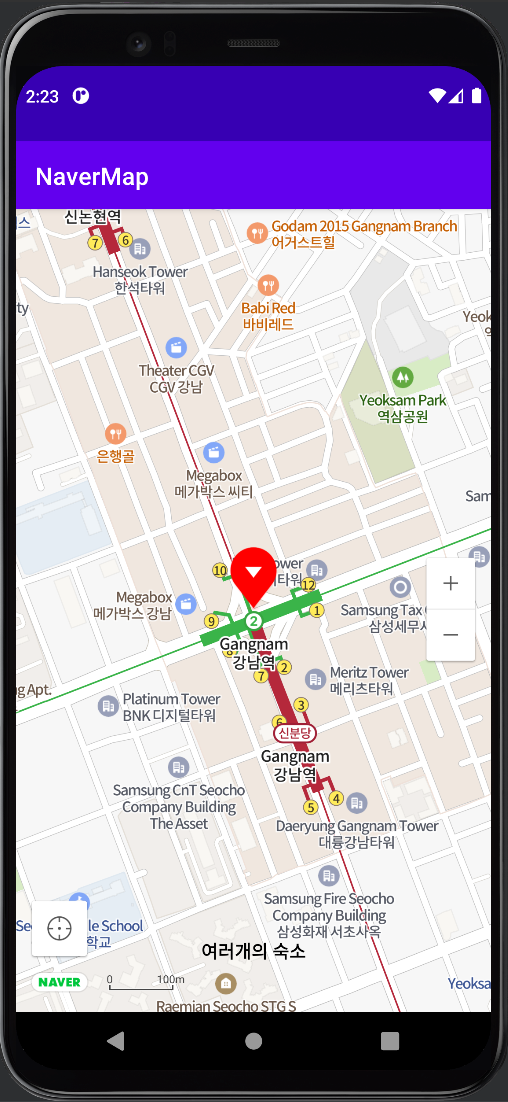
네이버 지도 API 활용 앱 - 2( CoordinatorLayout, BottomSheetDialog )
-
Naver Map API
-
ViewPager2
-
FrameLayout
-
CoordinatotLayout
-
BottomSheetBehavior
-
Retrofit
-
Gilde
메인 엑티비티 xml CoordinatorLayout로 변경
activity_main.xml 파일의 최상위 레이아웃을 CoordinatorLayout 으로 변경, bottom_sheet 인클루드
<!--activity_main.xml-->
<?xml version="1.0" encoding="utf-8"?>
<androidx.coordinatorlayout.widget.CoordinatorLayout xmlns:android="http://schemas.android.com/apk/res/android"
    xmlns:app="http://schemas.android.com/apk/res-auto"
    xmlns:tools="http://schemas.android.com/tools"
    android:layout_width="match_parent"
    android:layout_height="match_parent"
    tools:context=".MainActivity">

    <com.naver.maps.map.MapView
        android:id="@+id/mapView"
        android:layout_width="match_parent"
        android:layout_height="match_parent"/>

    <!--include-->
    <include layout="@layout/bottom_sheet"/>

</androidx.coordinatorlayout.widget.CoordinatorLayout>
bottom_sheet.xml 생성, BottomSheetBehavior 추가!
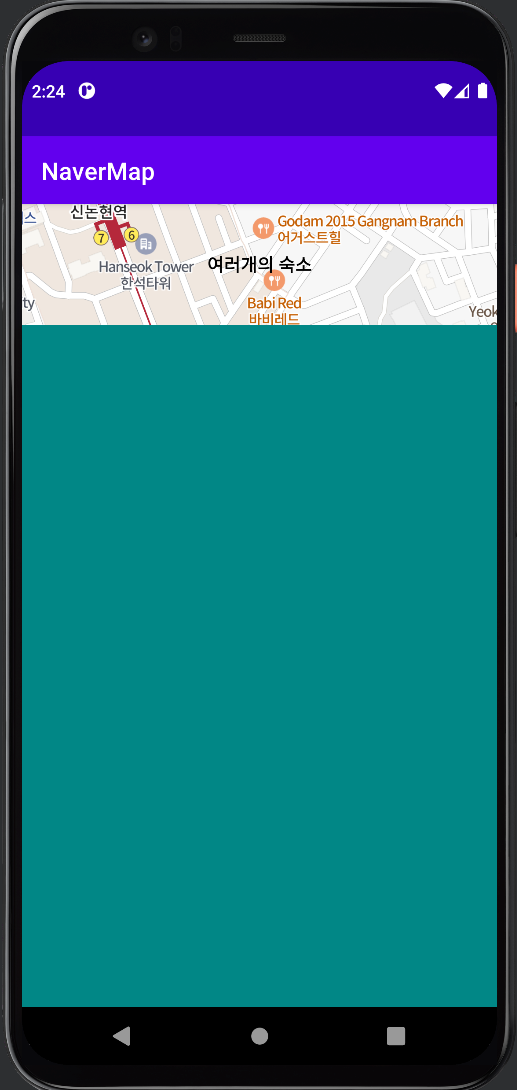
bottom_sheet.xml 파일 생성, BottomSheetBehavior 추가, 초기에 상단 100dp 만 보이도록 설정
<!--bottom_sheet.xml-->
<?xml version="1.0" encoding="utf-8"?>
<androidx.constraintlayout.widget.ConstraintLayout xmlns:android="http://schemas.android.com/apk/res/android"
    xmlns:app="http://schemas.android.com/apk/res-auto"
    android:layout_width="match_parent"
    android:layout_height="match_parent"

    app:behavior_peekHeight="100dp"
    app:layout_behavior="com.google.android.material.bottomsheet.BottomSheetBehavior">

    <TextView
        android:id="@+id/bottomSheetTitleTextView"
        android:layout_width="0dp"
        android:layout_height="100dp"
        android:gravity="center"
        android:text="여러개의 숙소"
        android:textColor="@color/black"
        android:textSize="15sp"
        android:textStyle="bold"
        app:layout_constraintEnd_toEndOf="parent"
        app:layout_constraintStart_toStartOf="parent"
        app:layout_constraintTop_toTopOf="parent" />

    <View
        android:layout_width="0dp"
        android:layout_height="0dp"
        android:background="@color/teal_700"
        app:layout_constraintBottom_toBottomOf="parent"
        app:layout_constraintEnd_toEndOf="parent"
        app:layout_constraintStart_toStartOf="parent"
        app:layout_constraintTop_toBottomOf="@id/bottomSheetTitleTextView" />

</androidx.constraintlayout.widget.ConstraintLayout>
화면 구성
백그라운드를 지정해주지 않으면 배경이 투명색이 됨